


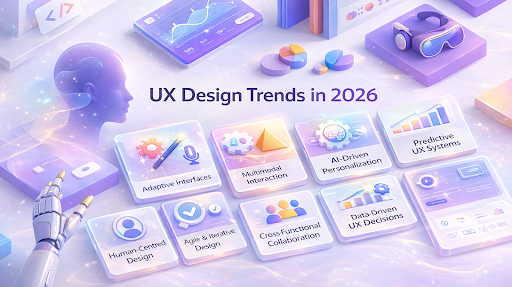
User expectations are rapidly shifting toward technology that doesn’t just display visuals, but responds, adapts, and predicts user needs. Today, interactions go beyond visuals alone, integrating voice, gesture, and spatial cues. This transformation is already visible in mixed reality devices and multimodal systems that extend beyond traditional screens and taps.
As a result, designers must now prioritize context-aware interactions. Rather than waiting for explicit input, products should understand what users are doing, where they are, and anticipate what they need next.
This shift is driven by three key principles shaping design in 2026. The first is immersion, where users engage naturally with their environment. The second is intimacy, where systems adapt to individual patterns. The third is intelligence, where interfaces evolve seamlessly based on user behavior and context.
In this blog, we’ll dive into the trends behind these changes, exploring how XR, adaptive AI interfaces, and real-time interaction systems are reshaping the UX/UI landscape and what this means for designers moving forward.
Key Takeaways
- UX/UI trends in 2026 will focus on adaptive, multimodal interfaces, including immersive design, AI personalization, and predictive systems.
- Companies must integrate human‑centred design to focus on user needs and adopt agile methodologies for iterative development and quick adaptation to emerging trends.
- Cross‑functional collaboration and data‑driven insights are critical for building adaptive, user‑centred interfaces.
- AI tools and real‑time data should be integrated to dynamically personalize and anticipate user needs.
- Executive support and continuous learning are essential for long‑term success in adopting these trends across teams.
The New Era of Design: Moving Beyond Aesthetics
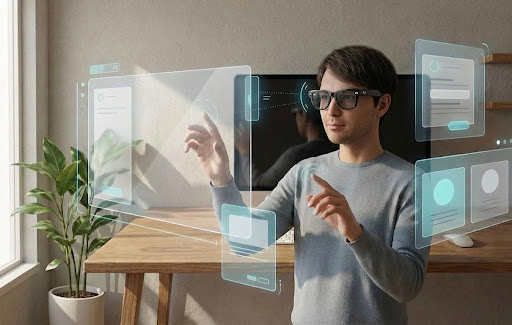
The traditional screen-centric UI is evolving into multimodal, adaptive systems that integrate digital elements with the physical environment. Today’s users expect not only usability but also clarity about how systems behave.
For example, around 70%of UX/UI designers plan to use AI to automate design tasks. This shift allows designers to focus more on creativity and less on repetitive work.
As mixed reality adoption grows, its impact becomes clear. On websites and apps, 3D elements can boost engagement by up to six times, highlighting the significant effect of spatial interaction on user engagement.
In this new era, interfaces must be aware, responsive, and context-sensitive. The focus is shifting from surface-level aesthetics to immersive, personalized, and intelligent interaction models that adapt to user behavior and needs.
Key UX Shifts Driving Interaction Change
| Aspect | What Changes | Example |
| Predictive Interfaces | UI surfaces relevant features or content before explicit user action | Dynamic menu adjustments based on task context |
| Spatial Interaction | Interfaces support 3D cues and placements beyond flat screens | AR previews for retail products, interactive 3D layouts |
| Inclusive Interaction | Voice, touch, gesture, and sensor data combine | Voice commands during multitasking scenarios |
| Context‑Aware Systems | Interface adapts based on the environment and user behaviour | Location or time‑based UI adjustments |
Is your digital experience connecting with your users? WithCodewave’s human‑centred UX design, we’ve helped businesses achieve up to a 45% increase in engagement and double the task efficiency.
By turning every interaction into a seamless, enjoyable experience, we help you boost loyalty and satisfaction.Learn more about Codewave’s UX solutions.
Also Read:App UX Best Practices You Need to Know
As user expectations evolve, businesses need to adapt their design strategies to remain competitive. Let’s explore how UX/UI trends in 2026 are shifting and what this means for companies moving forward.
Top 10 UX/UI Design Trends to Watch in 2026
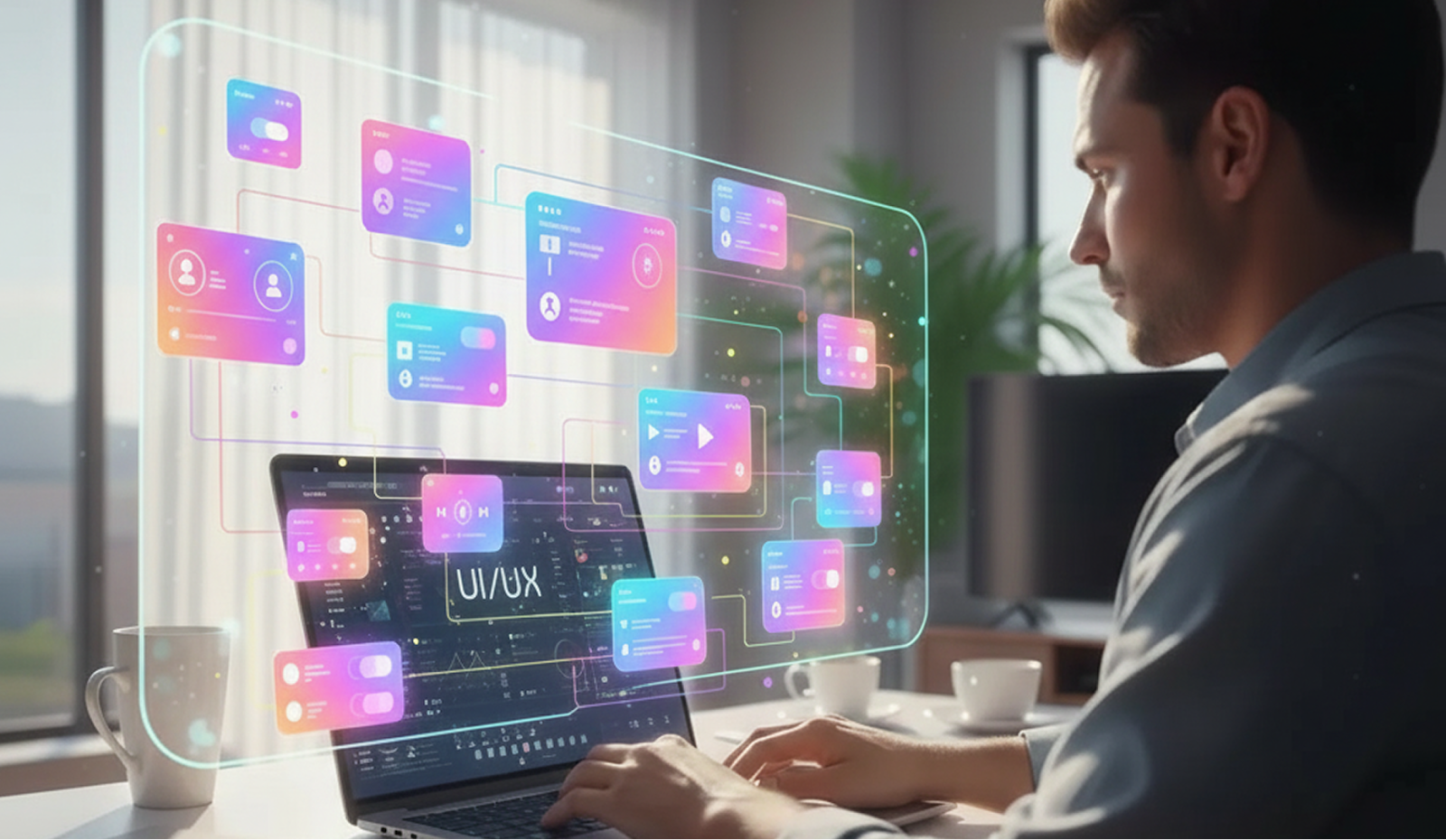
As we move into 2026, UX/UI design is set to break free from traditional boundaries. User expectations are evolving, and so are the technologies shaping digital experiences. Stay ahead of the curve and discover what’s next in UX/UI design.
1. Immersive Experiences: Entering, Not Using Interfaces
Interfaces are evolving beyond traditional 2D screens, moving into 3D and spatial environments. Today, multimodal systems use gestures, voice, and motion to interact with digital content in ways that feel more natural, mimicking how we engage with the physical world.
Research in human-computer interaction shows that augmented reality (AR) and spatial computing help users better understand digital information by integrating it with the physical environment. This means users can interact with digital elements as if they were part of their physical surroundings.
Design Implication: Designers now need to think in 3D, not just 2D. This involves planning spatial layouts, creating gesture zones, and providing multimodal feedback (such as motion or voice).
The goal is to make interactions intuitive and minimize cognitive load for users. Consider how motion, depth, and context can guide the placement and transitions of elements.
Example: Imagine a retail AR app that places virtual product models directly in the user’s environment. Users can explore the products through natural gestures or voice commands, making it feel more interactive and real-world.
2. Intimacy: Personalizing Design with AI
Interfaces are evolving to adjust not only content but also structure and functionality. Systems use real-time behavior data to tailor features, streamline workflows, and change navigation based on how users engage with the product. This real-time adaptability ensures that the interface feels responsive to each user’s unique interaction patterns.
Design Implication: UX workflows require dynamic rules based on user actions that specify when and how changes occur. This avoids confusion and keeps the user experience intuitive.
Example: A dashboard that automatically reorganizes tools based on usage frequency in the last session.
3. Intelligence: Adaptive Systems That Anticipate Needs
Interfaces are shifting from reactive to adaptive. By analyzing context, such as previous tasks, time of day, and interaction speed AI systems predict what users need next and adjust the interface accordingly. This anticipatory approach minimizes the need for explicit input, creating a smoother user experience.
Design Implication: Designers should create interaction flows that adapt to anticipated user goals, maintaining clarity while enabling the system to respond dynamically.
Example: An email app that highlights threads based on user reading patterns and calendar events.
4. Voice-Based Interfaces: Moving from Touch to Speech
Voice interfaces are becoming more integrated into UX design, working alongside touch and gesture-based interactions. They offer a hands-free way to control devices, search, and perform tasks, making them increasingly valuable in multitasking environments.
Design Implication: UX flows must support voice as a primary input method, defining clear dialogue states and recovery processes to ensure smooth user interactions.
Example: A travel booking platform where users can search for flights through natural language, such as “Find flights to Paris next month.”
5. AI-Powered Browsing and Agentic UX
Interfaces are evolving into collaborative systems where humans and AI-powered agentswork together. These agents manage tasks, provide insights, and make context-driven decisions for users, enhancing workflow efficiency.
Design Implication: Designers must ensure agent actions are visible and adjustable. Users should be able to control and track the agent’s behavior through clear interface elements.
Example: A project management tool where AI drafts task lists and progress summaries, which can be reviewed and edited by users.
6. Glass and Transparent Materials in UI Design
Transparency in UI design, like Apple’s Liquid Glass, is being used to create depth and hierarchy. Transparent elements let users see context, providing visual clarity while not overwhelming the interface. This approach helps users interact more intuitively with the foreground content.
Design Implication: Ensure that transparency doesn’t affect legibility. Designers should incorporate fluid transitions that maintain clarity and usability, especially with layered interfaces.
Example: A control panel with layered translucent surfaces, where the opacity changes depending on the user’s interaction state.
7. Morphing Scroll Interactions
Scroll interactions are taking on a narrative role in web design, turning a routine gesture into a way to guide users through a sequence of ideas and visuals. Rather than simply revealing static blocks, motion can cue context and pace, creating a layered experience that feels expressive and engaging.
Design communities are calling this scroll storytelling, where every step down the page works like a scene change in a story. This helps people absorb content in manageable stages.
Design Implication: When you adopt scroll-based storytelling, define clear points where layout changes occur and decide how elements animate in relation to the user’s movement. Motion should support clarity, including highlighting hierarchy, reinforcing key messages, and separating content into digestible segments.
Overuse or unclear transitions can dilute meaning, confuse users, or even affect performance. So the motion design should be purposeful and aligned with the information structure.
Example: A product landing page opens with a strong hero visual. As users scroll, the hero reduces, and key features slide into focus, followed by short use-case panels that animate into view. Each scroll step adds context, making the page feel like a guided walkthrough rather than a long, static layout.
8. Reimagining UI Elements: Designing for Emotional Impact and Nostalgic Playfulness
UI design in 2026 is shifting beyond efficiency to include emotional resonance and nostalgic character. Designers are exploring emotion-based interfaces that use colour, typography, and visual cues to evoke feeling and connection, moving away from purely functional layouts.
Pixel art and old-school UI elements are now used to set a tone and foster comfort rather than just evoke a retro look.
Design Implication: When you bring emotional and nostalgic elements into UI, the goal is to make interfaces feel meaningful and human. Thoughtful use of retro textures, expressive type, playful visuals, or personality-rich micro-interactions can make standard controls (like menus, tables, or dropdowns) more engaging without sacrificing clarity.
Example: In a dashboard or productivity app, instead of plain grid tables, consider using softly textured backgrounds, expressive typography, and pixel-inspired charts that nod to early computing aesthetics.
9. High-Energy, Immersive Visuals: Blending Realism with Surrealism
2026’s visuals will be dynamic and immersive, blending realistic textures with surreal, dreamlike elements. This trend creates a vivid experience, pushing boundaries and engaging users through bold, unexpected contrasts. The visual aesthetic aims to stimulate both the mind and emotions, blending nostalgic familiarity with futuristic innovation.
Design Implication: Designers will need to blend saturated colors, hyper-realistic textures, and playful distortions to create a more immersive product experience. This style emphasizes creating attention-grabbing visuals that move users emotionally while maintaining functionality.
Example: E-commerce websites could experiment with surreal imagery to highlight specific products, incorporating dynamic effects such as animated elements or interactive 3D visuals to keep users engaged in an unconventional way.
10. Ambient and Context-Aware Design
Ambient intelligence enables systems to sense context, such as location, proximity, and activity, and adjust interactions accordingly. This creates an intuitive experience where the system proactively responds to the user’s environment.
Design Implication: Designers must ensure that context-specific inputs trigger appropriate UI changes while keeping the system’s behavior predictable and user-friendly.
Example: A smart home interface that adjusts settings like lighting and temperature based on the user’s routine and the time of day.
Is your customer journey leaving a lasting impression? AtCodewave, we specialize in emotional design that transforms pain points into seamless experiences, driving higher retention and satisfaction. Our design thinking approach ensures customers feel valued at every touchpoint.Explore our CX designapproach today.
Also Read:Customer Experience in Web Design: Key Benefits and Best Practices
Now that we’ve explored the emerging trends, let’s discuss how companies can successfully implement these changes into their design processes.
How Companies Can Adopt UX/UI Design Trends in 2026

Adopting UX/UI design trends in 2026 requires more than surface changes. Teams must align their strategic objectives, processes, skills, and tools to improve user outcomes and business performance.
Integratinghuman‑centred designwith agile practices improves product usability and team alignment by continuously incorporating real-user feedback into development cycles.
Strategic Foundations for Adoption
Laying the groundwork for adopting advanced UX/UI trends involves embedding human‑centred design principles, fostering cross‑functional collaboration, and ensuring consistency through design systems.
1. Establish a Human‑Centred Design Culture
Prioritize decisions based on user needs and experience metrics rather than visual trends or internal preferences.
- Use participatory research to gather user goals, pain points, and task flows.
- Create standard methods for building personas and mapping journeys early in the planning process.
- Track usability outcomes (e.g., task success rate, error frequency) across releases.
2. Build or Evolve a Unified Design System
A design system ensures consistency and makes it easier to scale new interaction patterns, such as adaptive layouts or multimodal inputs.
- Maintain a single source of truth for UI components, design tokens, and interaction behaviours.
- Update the system iteratively to support new patterns (voice, gesture, contextual states).
- Version control artefacts so teams can track changes and revert if needed.
3. Adopt an Agile Usability Engineering Approach
Integrate UX activities into agile workflows so design and user feedback cycles occur alongside development iterations.
- Embed UX research and prototype validation within sprint cycles.
- Use rapid prototyping and early user tests to vet trend adoption before build.
- Adjust designs based on empirical feedback, not assumptions.
Process and Capability Shifts
Adopting emerging UX/UI trends requires integrating real‑time user data for design decisions. This involves using analytics tools to track interactions, fostering cross‑functional collaboration between UX, engineering, and data teams, and implementing automated testing to ensure usability and accessibility at each stage.
1. Invest in Cross‑Functional Collaboration
Breaking down silos between design, engineering, and product improves planning for advanced UX features.
- Form stable squads with shared goals, metrics, and joint accountability.
- Use shared artefacts (flow charts, prototypes) rather than design handoffs to reduce rework.
2. Use Behavioural and Contextual Data to Inform Design
Data on how users interact with products should guide decisions about personalization, adaptive UI, and trend prioritisation.
- Analyze click paths, session lengths, and feature usage to validate design decisions.
- Prioritise interfaces that reduce friction based on real usage patterns.
3. Incorporate Accessibility and Inclusive Design Practices
Accessibility has become fundamental to UX quality and compliance.
- Implement WCAG compliance checks early in design cycles.
- Co‑design with users of diverse abilities to capture edge cases and practical needs.
Tools, Technologies, and AI Integration
Utilizing the right tools, from prototyping platforms to AI for personalization, enables teams to design and test across evolving interaction modes like voice, gesture, and spatial interfaces.
1. Integrate AI Tools for UX Research and Personalization
AI can help teams analyze patterns, generate variants, and predict interaction needs.
- Use AI to automate usability trend analysis or generate design alternatives.
- Incorporate governance controls to ensure AI‑generated changes respect user privacy and ethical standards.
2. Prototype in Most Relevant Interaction Contexts
Testing should reflect the modalities users will actually use, such as voice, XR, spatial, or combined modalities, rather than just screens.
- Adopt prototyping toolsthat support multimodal simulations.
- Conduct context‑aware usability testing to validate how well designs work in the intended environments.
3. Implement Continuous Feedback Mechanisms
Measure impact operationally, not just theoretically.
- Use analytics, session replay, A/B tests, and direct feedback loops to evaluate trend adoption.
- Establish benchmarks for success, such as reduced task times or increased retention.
Organization Level Enablers
Securing leadership support and continuous skill development ensures design goals are aligned with business outcomes, keeping teams adaptable and equipped to integrate evolving UX/UI trends.
1. Executive Alignment and Change Management
Executive buy‑in drives resource allocation and prioritises UX goals within business strategies.
- Align UX objectives with measurable business KPIs such as customer engagement, retention, and conversion rates.
- Communicate design impact using actionable data: user satisfaction metrics, conversion improvements, or task success rates, translating design outcomes into business value.
2. Learning and Development Plan
Continuous training keeps teams up to date with evolving design tools and methodologies.
- Implement training programs on AI‑driven design tools, voice UX integration, and accessibility standards (WCAG).
- Host hands‑on workshops focused on new tools and trends, with direct application to current projects, to maintain agility and knowledge across teams.
Also Read:The UX Design Process: The Ultimate 10-Step Guide
How Codewave Aligns with the Future of UX/UI Design
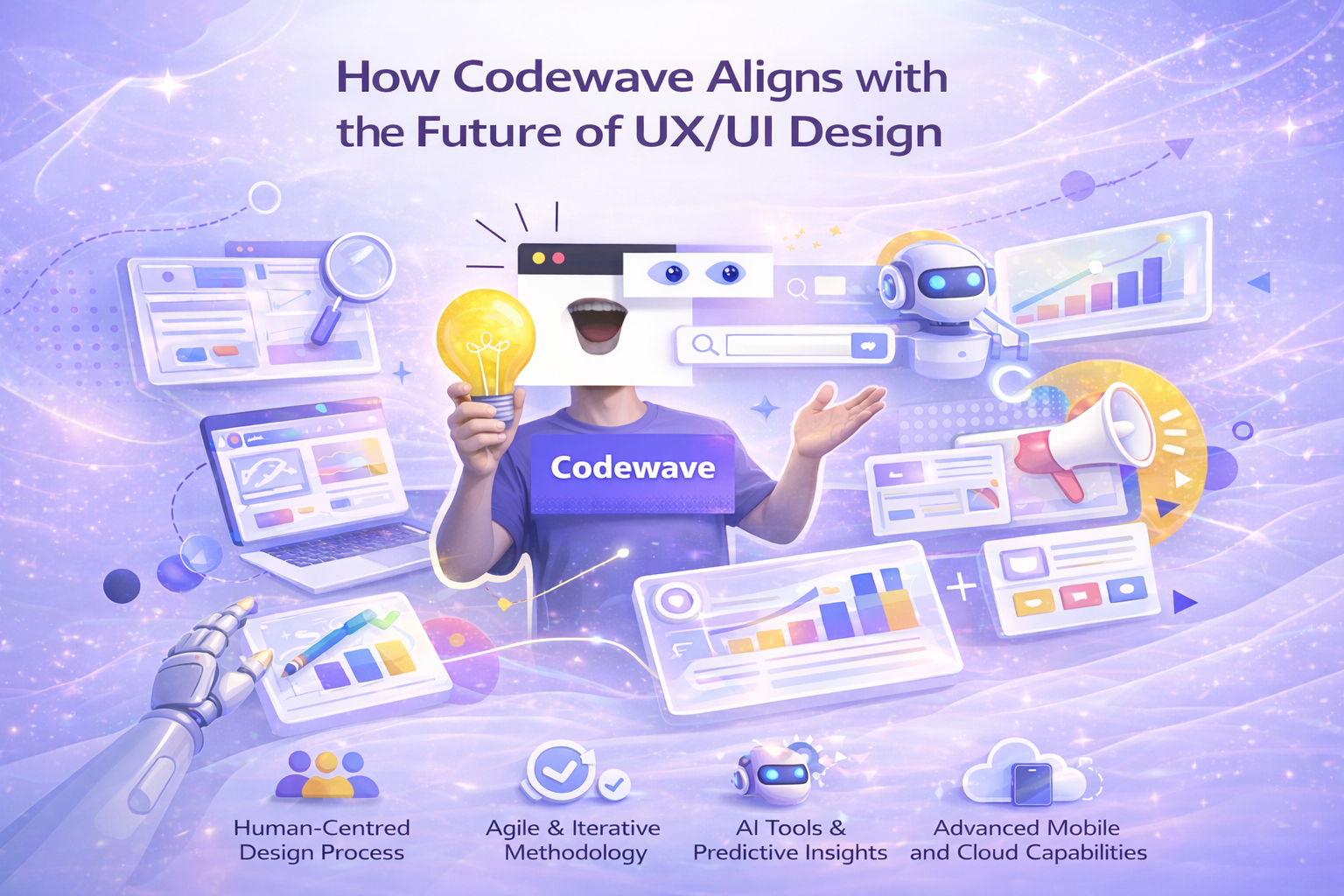
Codewave is leading the UX/UI design trends of 2026, focusing on adaptive, personalized, and user-centric solutions.
Through design thinking at every stage of the product development process, we ensure that user needs are at the heart of each decision, helping businesses effectively adopt these valuable trends.
How Codewave Supports Modern UX/UI Needs
- Design‑First Approach: Built on a foundation of design thinking, Codewave places user research, journey mapping, and interactive prototype testing at the core of product development, aligning with the shift toward context‑aware and user‑centric experiences.
- Cross‑Disciplinary execution: Integrating UX, engineering, and product strategy, Codewave’s teams work collaboratively to ensure that features like adaptive interfaces, personalized flows, and multimodal interaction support are built into the product rather than bolted on late in development.
- AI & Predictive UX Integration: Through tailored AI solutions and generative AI services, Codewave equips products with predictive intelligence, automating suggestion logic and data‑driven interaction adjustments that enhance personalized user journeys.
- Advanced Mobile and Cloud Capabilities: With expertise in mobile and web app development on modern cloud platforms (AWS, Google Cloud, Azure), Codewave ensures performance and scalability without compromising user experience.
To see how Codewave brings these principles to life, check out our portfolio, showcasing projects in smart dashboards, adaptive mobile UX, and customer experience transformations.
Conclusion
In 2026, the focus of UX/UI has shifted from static visuals to interaction behaviour and contextual responsiveness, with products anticipating user needs and adapting accordingly. Users expect interfaces that feel personalized, intuitive, and aligned with how they think and act, not just how they look.
Successful adoption of these principles helps organisations create experiences that feel natural, reduce friction, and respect user intentions. Aligning UX with core business outcomes means designing with purpose and precision rather than following surface trends.
If you’re ready to advance your product’s user experience with design systems, AI‑driven personalization, and adaptive interfaces, Codewavecan help bring these approaches into your development process.Explore how Codewave can transform your UX strategy and execution today.
FAQs
Q: What does multimodal design mean for user interaction in 2026?
A: Multimodal design refers to interfaces that support multiple input methods such as voice, gesture, touch, and visual cues, within the same experience.
In 2026, users expect interfaces that adapt to context (e.g., speaking when hands are busy), combining these modes for natural interaction rather than relying on a single control method. This requires designers to plan flows that account for transitions between modalities.
Q: How does anticipatory design differ from traditional UX personalization?
A: Anticipatory design uses real‑time signals and predictive logic to offer suggestions or actions before a user explicitly asks.
Unlike traditional personalization, which adjusts based on past behaviour or preferences, anticipatory design predicts next steps during active interaction, reducing decision friction and streamlining workflows.
Q: Why should designers prioritise inclusive design early in the workflow?
A: Inclusive design ensures that products are usable by people with a wide spectrum of abilities and contexts. Incorporating accessibility at the start, such as screen reader compatibility, contrast standards, and clear navigation, reduces rework and expands the product’s reach, preventing usability barriers from becoming entrenched later.
Q: What’s the role of micro‑interactions in modern UX design?
A: Micro‑interactions are small interface responses, like animated feedback on button presses, that provide clarity and reinforce system state changes. They help users quickly understand outcomes (success, error, progress) and improve usability by providing detailed feedback loops at key interaction points.
Q: How do ethical concerns shape UX design decisions in 2026?
A: Ethical UX considers user well‑being alongside business goals. Designers must avoid manipulative patterns, respect privacy, and prevent unnecessary data collection. Ethical UX also involves transparent personalisation and preventing dark patterns that push users into actions without clear consent.

Rakshith D is a Software Engineer at Codewave with expertise in full-stack development, cloud-native architectures, and scalable digital systems. He writes on web and mobile app development, microservices, and backend engineering—drawing from hands-on experience building high-impact digital products for startups and enterprises.