


Large organizations often operate 250-500 or more applications across functions such as finance, human resources, supply chain, customer relationship management, and analytics. This application sprawl makes it difficult for systems to communicate directly, resulting in data silos, repeated manual work, and decisions based on inconsistent information.
According to research, only about 28% of enterprise applications are currently connected, and most organizations report that integration gaps are slowing broader technology initiatives, such as AI adoption.
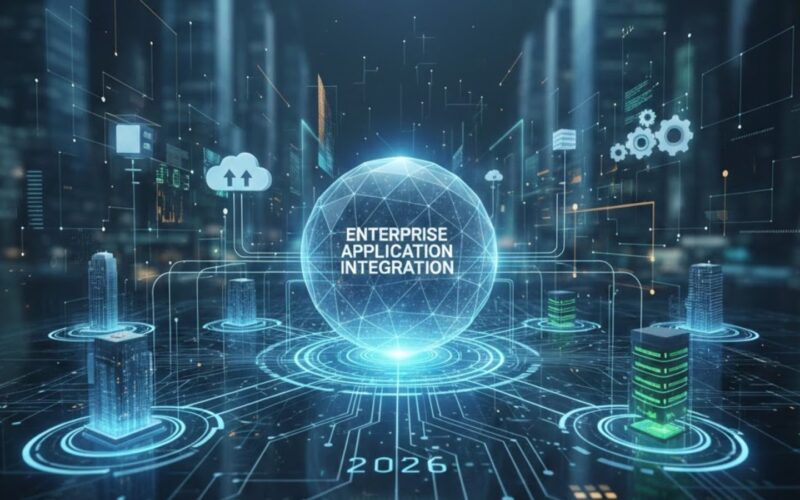
Enterprise application integration (EAI) is the systematic process of connecting disparate systems, so they share data and automate workflows without rewriting core applications.
This article explains the fundamentals of EAI, the main architectural approaches, the business outcomes that integration delivers, and how to approach implementation in your enterprise.
Key Takeaways
- Enterprise application integration connects ERP, CRM, analytics, and operational systems so data moves automatically across the organization.
- Disconnected enterprise systems lead to data silos, manual reconciliation, inconsistent reporting, and slower business decisions.
- Common integration approaches include API-based integration, middleware or ESB models, and event-driven architectures, each suited to different scales and levels of complexity.
- Most integration challenges come from poor data governance, unclear system ownership, and a lack of monitoring rather than tool limitations.
- Successful enterprise integration requires structured planning, clear architecture, rigorous testing, and ongoing governance to remain reliable as systems grow.
What Does Enterprise Application Integration Really Mean?
At its core, enterprise application integration is the combination of methods, tools, and frameworks that allow multiple business systems to communicate and exchange data reliably.
Instead of maintaining isolated databases or forcing teams to transfer information manually between applications, integration establishes structured pathways for systems such as CRM, ERP, HR, billing, and analytics platforms to share data automatically.
How EAI Works
- Middleware or integration layer sits between applications
- Data from one system is transformed and routed to others
- Rules govern data synchronization so that consistent records are maintained
Quick Comparison: Integrated vs. Disconnected Systems
The table below highlights how integration affects day-to-day system behavior, data reliability, and cross-team workloads.
| Aspect | Disconnected Systems | Integrated Environment |
| Data updates | Manual, delayed | Automated, real-time |
| Accuracy | High chance of inconsistencies | Single source of truth |
| Workflow | Manual handoffs between teams | Automated, predictable |
| IT effort | Repetitive fixes | Strategic development |
| Reporting | Fragmented | Unified across systems |
Also Read: Top IT Staff Augmentation Best Practices in 2025
Once the concept is clear, the next question is why integration has become a business priority rather than a technical preference.
Why Enterprise Integration Is a Priority for Business Leaders
Enterprise application integration is not just a technology upgrade. It directly impacts operational performance and responsiveness. Recent forecasts indicate that the global enterprise application integration market is projected to grow from about $17.5 billion in 2025 to more than $55 billion by 2033, underscoring the centrality of integration to strategic IT planning.
Key Business Benefits:
These benefits show how integration moves enterprise systems from reactive coordination to predictable operations.
1. Consistent, Real-Time Data
Integrated systems eliminate conflicting records and data silos by synchronizing data across applications, giving teams a unified source of truth for reporting and analytics.
2. Automated Workflows
When systems exchange information automatically, repetitive manual tasks disappear. This reduces human error and frees up employees to work on higher-value activities.
3. Lower Operational Costs
Modern integration strategies can reduce operational costs by up to 30 percent by eliminating redundant processes, reducing manual intervention, and optimizing support overhead. This reduction includes fewer help desk tickets related to system mismatches and lower maintenance effort for isolated connectors.
4. Improved Customer Experience
When customer data flows seamlessly between systems such as CRM, support platforms, and order management, teams interact with complete, up-to-date profiles. That means faster response times and fewer inconsistencies in customer communication.
Integrated customer data has been linked to higher satisfaction scores and reduced churn as support and sales teams work from the same dataset.
5. Faster Time to Value for Digital Initiatives
Enterprises that modernize integration with platforms such as iPaaS can cut delivery times for new digital features by significant margins. For example, organizations using modern integration solutions report up to 65 percent faster launch times for new digital services than those using legacy point-to-point connections.
6. Scalability Without Rework
A structured integration approach allows new applications to join shared workflows without rewriting existing systems. Integration becomes a framework that supports growth rather than an ad-hoc set of patches.
7. Regulatory Compliance and Auditing
Integrated data flows improve traceability for compliance reporting by enabling systems to share standardized, governed data. Centralized data movement simplifies audit trails and demonstrates regulatory compliance, including privacy and financial reporting standards.
Disconnected legacy systems force teams to perform manual work and slow decision-making. Codewave helps you modernize systems with integration-ready architectures that scale across cloud, AI, and microservices.
Organizations that integrate core applications with Codewave see up to a 40% improvement in process efficiency through automated workflows and unified data.
Also Read: The Future of Big Data Solution Trends in 2026
Architecture defines the structure, but the types of integration determine how systems exchange data in practice.
Types of Enterprise Application Integration You Should Understand
Enterprise application integration enables different business systems to exchange information and coordinate workflows reliably, often through middleware or integration platforms rather than by rewriting application code.
Each type below represents a distinct approach to integration, suited to specific business needs and technical environments:
1. Point-to-Point Integration
Direct connections between two systems where data is mapped and transported from one to another. This model is simple and quick to implement for a limited number of systems.
Best use case: When you only need to integrate a couple of applications and real-time data sharing is not critical.
Limitations:
- Becomes harder to maintain as more systems are added.
- Increases complexity exponentially with each new connection.
2. Hub-and-Spoke Integration
A central integration hub routes data between systems. Applications connect to the hub, which manages transformations and routing logic.
Best use case: Medium- to large-sized environments where multiple systems must share information while maintaining centralized control.
Advantages:
- Reduces the number of direct connectors needed.
- Centralizes error handling and governance.
Trade-offs:
3. Middleware-Based Integration
Middleware acts as a dedicated layer that sits between applications, handling communication, data translation, and workflows. This is often packaged as an enterprise service bus (ESB) or an integration platform as a service (iPaaS).
Best use case: High-complexity environments with a mix of cloud services and legacy on-premises systems.
Benefits:
- Supports varied data formats and protocols.
- Often includes tools for monitoring and governance.
Considerations: Requires careful design to avoid bottlenecks and ensure performance.
4. Service-Oriented Integration
Applications expose business functions as reusable services through APIs. Other systems consume these services to access business logic and data.
Best use case: Organizations adopting modular architectures or building new systems on service contracts.
Benefits:
- Promotes reuse of services.
- Supports loose coupling between systems.
5. Event-Driven Integration
Systems publish events when something changes (e.g., a new order). Other systems subscribe to those events and act accordingly.
Best use case: Use cases requiring real-time responsiveness, such as inventory alerts or customer activity updates.
Strength: Supports near real-time coordination without polling.
Challenge: Requires robust message handling to avoid overload.
6. Cloud-Native Integration
Integration services are provided as cloud platforms (iPaaS) that connect cloud and on-premises applications using managed connectors, security, and workflows.
Best use case: Hybrid environments with SaaS applications, microservices, and distributed teams.
Benefits:
- Rapid deployment.
- Built-in scalability and security controls.
Also Read: Secure Application Development Best Practices Guide
Disconnected IoT systems often fail because enterprise applications don’t communicate with one another. Codewave builds IoT applications that integrate cleanly with ERP, analytics, and operational platforms.
See how we help enterprises turn IoT data into connected, usable systems.
Challenges You Must Account For in Enterprise Application Integration
Integration projects often run into obstacles that are not purely technical. Understanding these helps you plan for governance, cost, performance, and operational realities.
1. Complexity of Integration Logic
Modern enterprises have dozens or hundreds of systems with different data formats, protocols, and schemas. Coordinating how data moves between these without losing meaning or integrity is technically demanding.
Example: Real-time inventory data needs consistent schema mapping across supply chain systems and e-commerce platforms.
2. Data Security and Privacy Risks
Moving sensitive data between systems increases the attack surface. Enterprise integration must enforce encryption, authentication, and access control across all data flows to meet compliance requirements such as HIPAA and PCI DSS.
Impact: Without strong security controls, integration can create vulnerabilities that compromise customer or financial data.
3. Integration Cost and Resource Allocation
Integration platforms and specialized connectors come with licensing costs. Skilled engineers with integration experience are not always easy to source.
Typical costs to budget for:
- Middleware or integration platform licenses
- Development and testing effort
- Ongoing maintenance and support
4. Legacy and Compatibility Constraints
Older systems may lack modern APIs or standards, making it challenging to integrate them without custom adapters.
Example: A mainframe ERP system using proprietary protocols may require bespoke interface modules to participate in modern integration flows.
5. Data Quality and Governance Issues
If source systems do not enforce consistent data standards, integration can spread inconsistent or incorrect data across systems, undermining trust in key reports and dashboards.
Typical symptoms:
- Duplicate records
- Misspelled or incomplete fields
- Conflicting values for the same entity
6. Scalability and Maintenance Over Time
Integration does not end once connections are live. Systems change, APIs evolve, and usage increases. Without a governance model that tracks dependencies and version changes, integrations break or degrade performance.
Effective practice: Implement monitoring and alerting to quickly detect failures and adjust connectors without disrupting operations.
7. Organizational Agreement and Ownership
Integration involves multiple teams, IT, business units, security, and compliance. Without clear ownership and agreement on definitions and priorities, projects stall.
Management literature suggests that many integration projects fail due to governance and coordination issues, not technology alone.
Common governance failure: Departments defining their own data standards without aligning with enterprise-wide rules.
Also Read: Business Process Automation Trends in 2025
How to Plan and Implement Enterprise Application Integration
Implementing enterprise application integration (EAI) should feel like a structured program, not an ad-hoc IT task. A disciplined plan ensures that integration supports your business goals, maintains data accuracy, and scales with your systems as they evolve.
Below is a 5-stage approach that aligns strategy with execution and ongoing operations.
1. Assess Your Integration Needs and Set Clear Objectives
Start with a comprehensive audit of your current systems, data flows, and business processes. You need clarity on:
- Which systems must exchange data (e.g., CRM, ERP, HR, BI)?
- What type of data needs to move (master data, transactional data, logs)?
- What is the desired frequency (real-time vs batch)?
- What business outcomes are you targeting (faster order processing, consistent customer records, reduced manual work)?
This initial assessment becomes your roadmap. It shapes which integration architecture makes sense and which data standards you must enforce.
Industry best practices emphasize defining measurable objectives before execution.
For example, setting goals like “reduce manual reconciliations by 80 percent” or “cut data latency to under five minutes” guides design decisions and prioritizes work.
2. Choose Your Integration Architecture and Technology Stack
Once requirements are clear, select the architectural model that matches your needs and scale:
- Point-to-Point Integration for simple, limited connections
- Hub-and-Spoke or ESB-based architectures for centralized routing and governance
- Hybrid integration that combines direct connections with middleware
- API-driven integration to expose services for controlled access
Your choice depends on the number of applications, expected growth, performance expectations, and existing IT skills. A robust platform should support messaging, transformation, orchestration, and monitoring.
During this stage, also decide on:
- Messaging protocols (e.g., REST, SOAP, message queues)
- Data formats (JSON, XML, Avro)
- Security standards (encryption, authentication, audit logging)
Keeping these components standardized reduces complexity and improves long-term maintainability.
3. Design the Integration Logic and Data Flows
This is a technical blueprint of how systems will talk to each other:
- Define data mappings (which fields in System A correspond to which in System B)
- Establish transformation rules (e.g., date formats, ID normalization)
- Specify process logic for workflows that span systems
- Design error-handling procedures (how to react when a message fails or data is invalid)
At this stage, create and validate schema definitions, transformation pipelines, and routing rules in a test environment. This prevents surprises when you move to production and ensures the system processes data correctly under real-world workloads.
4. Build, Test, and Validate Integrations
Before releasing your integration into production:
- Conduct unit tests to validate individual connectors and APIs
- Run integration tests to ensure data paths work end-to-end
- Use performance tests to check latency and throughput under load
- Simulate failures to verify error handling and recovery behavior
Testing is critical because integration introduces dependencies across systems. Ensuring robust test coverage reduces incidents and improves confidence in deployment. This also lets you refine alerts and monitoring dashboards before launch.
5. Deploy, Monitor, and Evolve
Once tested, deploy in stages. A phased rollout, integrating the highest priority systems first, reduces risk and makes it easier to isolate issues:
- Release initial connections for critical workflows
- Observe system metrics for data accuracy, latency, and throughput
- Set up alerts for failures, high error rates, and abnormal latency
Continuous monitoring and maintenance are essential because systems change over time. APIs evolve, business processes shift, and data formats update.
Keeping an operational monitoring strategy and automated logging is a core part of long-term success.
6. Best Practices to Support Implementation
The literature on integration consistently recommends the following practices:
- Standardize protocols and formats to reduce translation complexity. Utilizing RESTful APIs, message queues, and consistent payload formats (e.g., JSON) simplifies development and reduces errors.
- Prioritize data governance and quality so that data entering integrated systems complies with enterprise standards.
- Use pre-built connectors where possible to speed implementation and reduce bespoke coding.
- Plan for scalability and security from the start, considering encryption, access control, and compliance requirements such as GDPR or HIPAA when applicable.
Also Read: Understanding AI Security Risks and Threats
How Codewave Helps You Execute Enterprise Application Integration
Enterprise application integration succeeds only when technical execution aligns with business priorities, data governance, and long-term scalability. Codewave works with you to design and implement integration strategies that connect systems reliably without disrupting existing operations.
With experience in large-scale digital transformation programs, Codewave supports integration initiatives across cloud platforms, legacy systems, and modern application stacks.
What You Get with Codewave
- Integration-led digital transformation: Codewave designs integration as part of your broader transformation roadmap, not as an isolated IT task. This approach helps you integrate ERP, CRM, analytics, and custom platforms to support operational and growth goals.
- Custom software and API-driven integration: You get integration solutions built around APIs, middleware, and event-based communication. This supports secure data exchange, modular system design, and future extensibility.
- Cloud and hybrid environment expertise: Codewave helps you integrate cloud-native services with on-premise and legacy systems, enabling consistent data flow across hybrid environments.
- UX-aware integration outcomes: Integration decisions account for how business users interact with systems. This reduces friction in workflows across finance, operations, and customer-facing teams.
If you want to understand how these principles translate into production systems, review Codewave’s work across industries such as fintech, healthcare, logistics, retail, and education.
Conclusion
Enterprise application integration lets you unify systems so data flows smoothly, processes run with fewer manual steps, and your teams operate with consistent information. When applications share information reliably, you reduce data silos, improve operational efficiency, and eliminate repetitive work that slows decision-making and execution.
However, integration is not a one-off project. It must be planned, tested, and governed to support growth and changing business needs. If you are looking to assess current systems, define an integration strategy, or deliver integration solutions tailored to your enterprise, Codewave can help. Contact us today to learn more!
FAQs
Q: How do you decide which systems to integrate first in an enterprise environment?
A: Start with systems that create the highest operational friction when disconnected, such as ERP, CRM, and billing platforms. These systems usually touch revenue, compliance, and reporting. Prioritizing them delivers visible impact early and reduces downstream rework.
Q: Can enterprise application integration support mergers or acquisitions?
A: Yes. Integration allows newly acquired systems to exchange data without forcing immediate platform replacement. This enables continuity of operations while long-term consolidation decisions are made.
Q: How does integration affect data ownership across departments?
A: Integration does not remove ownership but requires clear governance. Each system remains the system of record for specific data, while integration enforces controlled data sharing across teams.
Q: Is enterprise application integration compatible with low-code or no-code platforms?
A: It can be. Low-code platforms often rely on APIs and connectors, which still need structured integration design to maintain data quality, security, and performance at scale.
Q: What signals indicate that an integration strategy needs revision?
A: Frequent data mismatches, rising manual reconciliations, slow onboarding of new tools, and repeated connector failures indicate that the current approach is no longer sustainable.

Rakshith D is a Software Engineer at Codewave with expertise in full-stack development, cloud-native architectures, and scalable digital systems. He writes on web and mobile app development, microservices, and backend engineering—drawing from hands-on experience building high-impact digital products for startups and enterprises.